A convenient alternative to paper
No printer handy? Handwrite it on the iPad.
Real paper is still the best way to practise — it’s exactly how your child sits the exam, and most families just snap a photo of work done on paper. But when printing isn’t practical, they can handwrite the worksheet with an Apple Pencil and submit in one tap. It’s a convenience, not a compromise: still handwriting — not the type-the-answer, tap-the-option exercises other platforms call “digital”.
Try free — 200 credits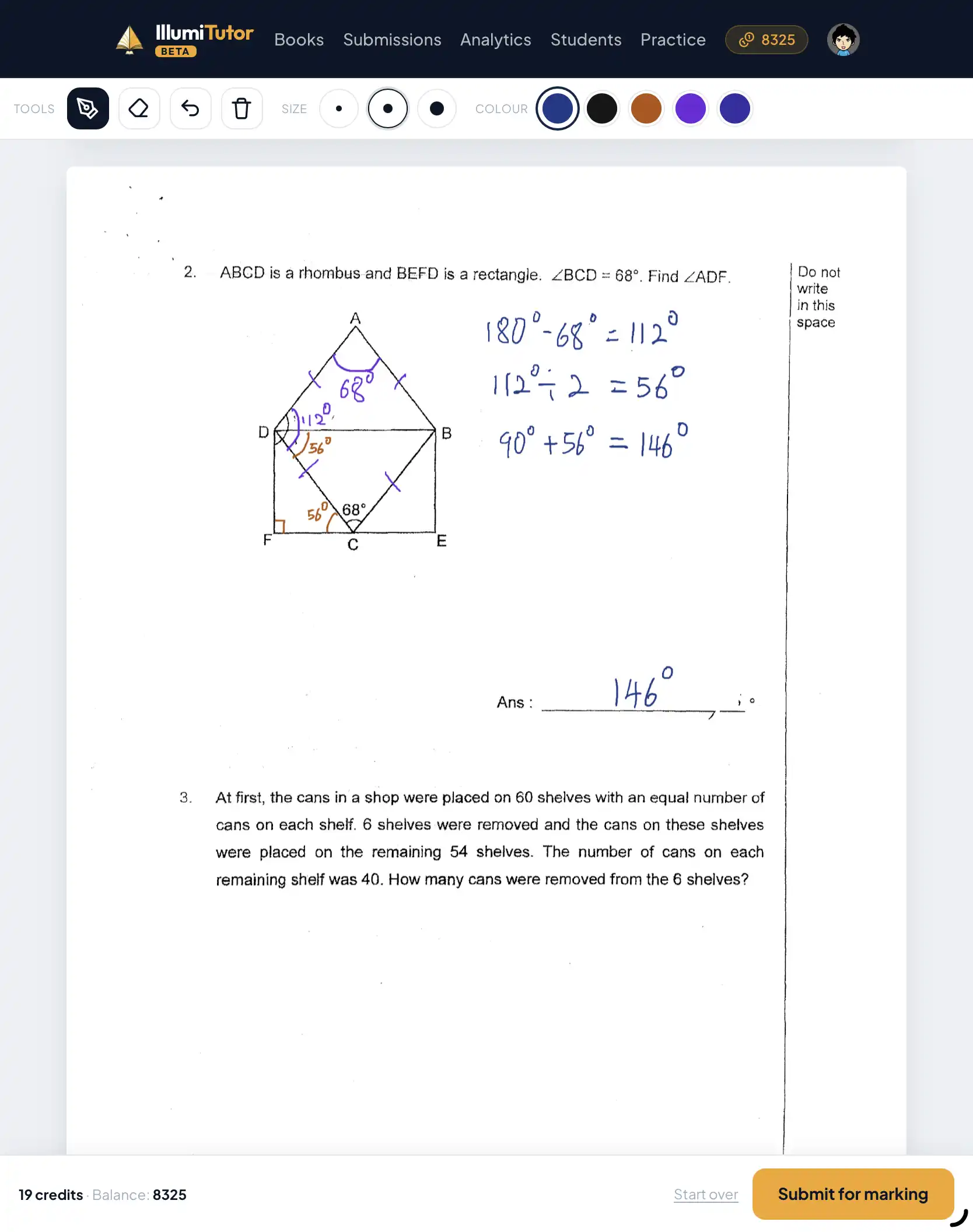
- 1
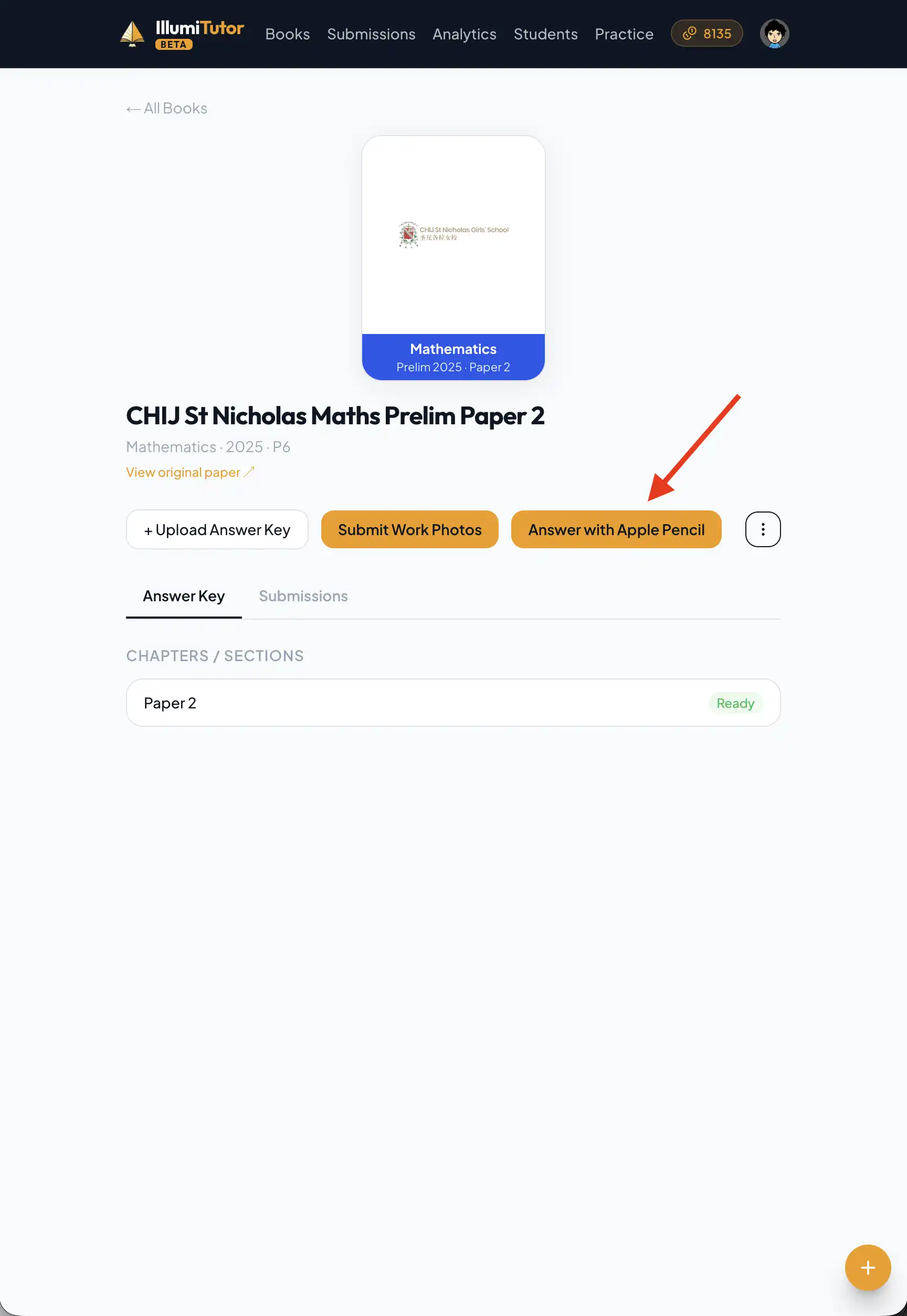
Open the worksheet on the iPad
When printing isn’t practical, pick the book and page and it opens full-screen, ready to write on — the same questions, in the same order, your child would face on paper.
- 2
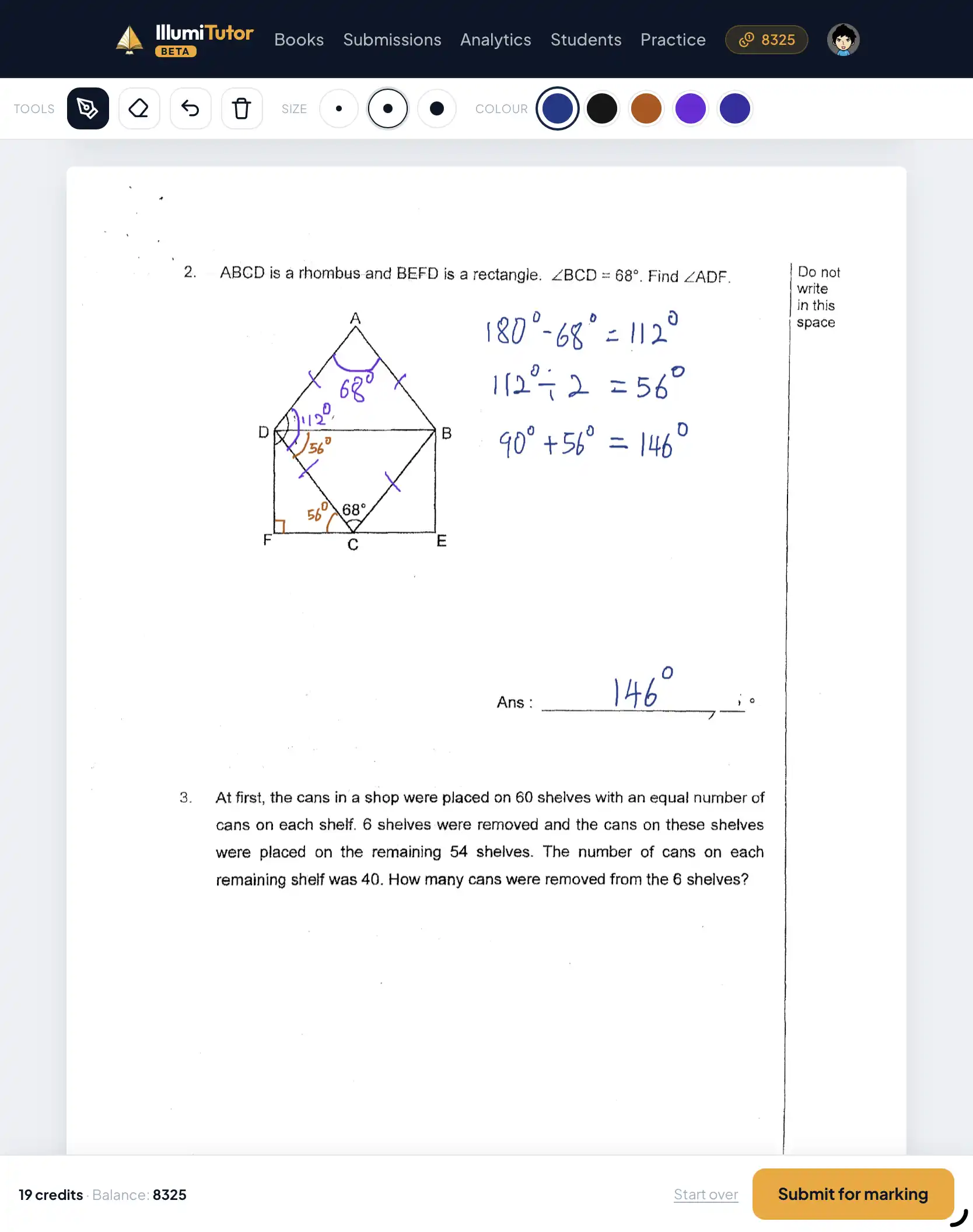
Handwrite every answer with the Apple Pencil
They write each answer out by hand with the Pencil — working, crossings-out and all — the same way they would in the exam. No keyboard, no multiple-choice shortcuts that train the wrong habits.
- 3
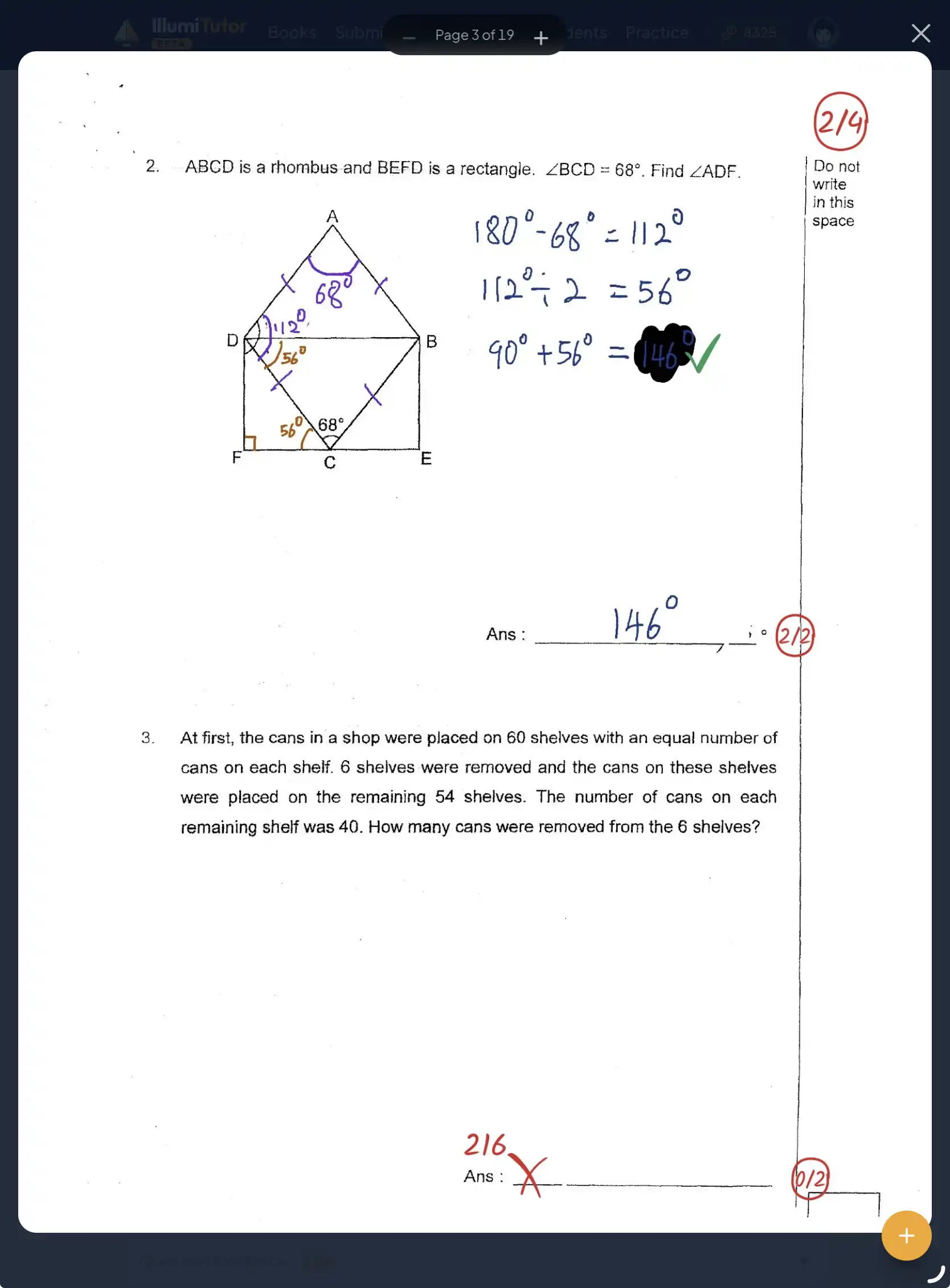
Submit straight to marking
One tap sends the page in. It’s marked exactly like a photo of paper work — ticks, crosses and feedback come straight back, no camera step in between.
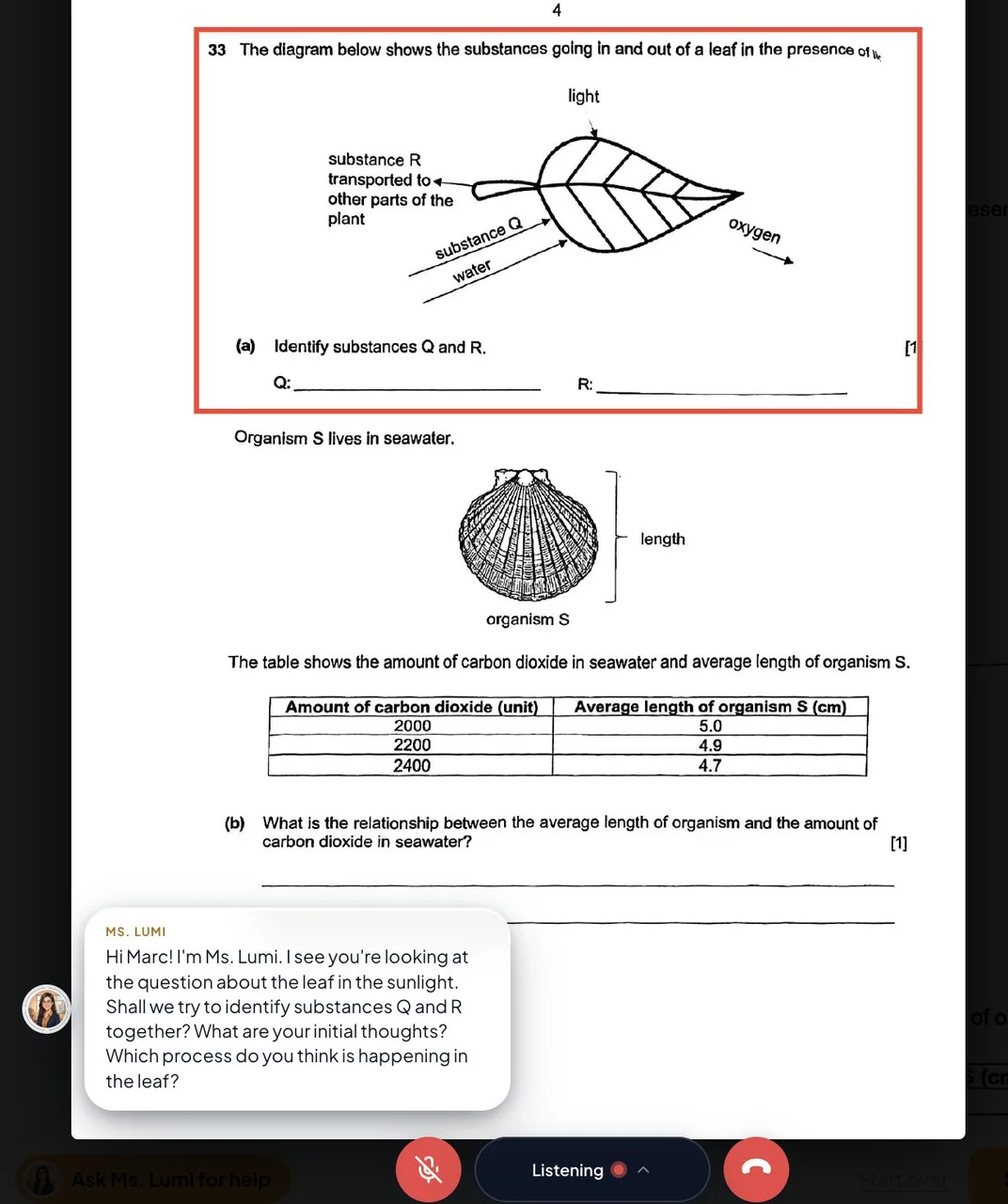
Stuck mid-question? Ms. Lumi talks them through it
Weak topics like Ratio, Speed, or Open-Ended Science can make practice feel intimidating. Instead of staring blankly, guessing, or giving up, your child taps "Ask Ms. Lumi for help" right on the canvas. Ms. Lumi speaks out loud in real time, asking guiding questions that lead to understanding — without ever giving away the final answer.
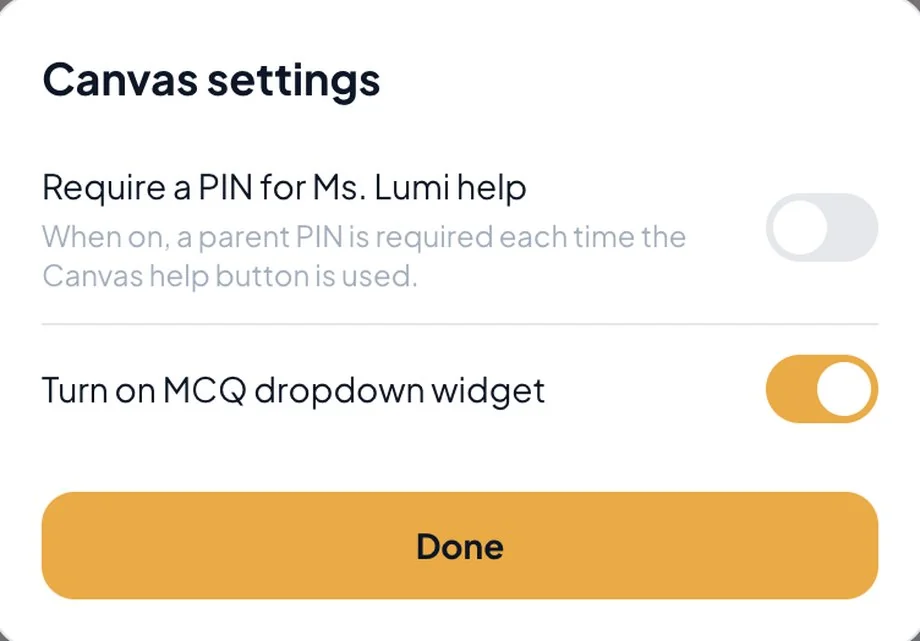
Parent PIN for full timed exam discipline
When it’s time for an authentic timed mock exam, you stay in full control. Canvas settings allow you to require a 4-digit parent PIN before Ms. Lumi can be called — or turn help off entirely — so practice matches real PSLE exam conditions.
Questions parents ask
Isn’t practising on real paper better?
For exam practice, paper is still the gold standard — and IllumiTutor is built around it. Most families simply do the work on paper and snap a photo. The digital worksheet is here for when printing isn’t convenient. Because your child still handwrites every answer, it stays far closer to the real exam than platforms that make them type answers or tap multiple-choice.
What do I need to use it?
An iPad with an Apple Pencil. The worksheet opens in the browser — there’s nothing extra to install.
Does it replace writing on paper?
No — and it isn’t meant to. Nothing fully replaces the feel of paper. But unlike typing on a keyboard, your child still forms every answer by hand with the Pencil, with palm rest and pinch-to-zoom, so the practice stays true to the exam.
Will my child become dependent on Ms. Lumi during exam practice?
No. You stay in full control: in Canvas settings, you can lock Ms. Lumi behind a 4-digit parent PIN or turn help off entirely when your child is sitting a timed mock exam under strict PSLE conditions.
Recommended hardware
Wondering which tablet to write on? We compared four — two Android tablets and two iPads, from budget to A4-sized — on the things that actually matter for handwriting.
See the recommended tablets →Read more